Phone numbers in Excel
The customer file travels by e-mail and USB stick. One leak — and your company is the one held liable.
Law No. 195/2024 in force since 23 August 2026
One link for your entire customer base. Each customer chooses what they want to receive, and the answer is encrypted right on their phone — only you can read it. Every number comes with proof of consent.

Why now
The customer file travels by e-mail and USB stick. One leak — and your company is the one held liable.
A pre-ticked box is not consent. And under the law, it is the sender who must prove consent was given.
A single customer complaint can trigger an inspection. Without proof, you have no case.
How it works
Your company gets one short link and a QR code. The link goes to your whole base in a single message.
They open the link, enter their number and choose what they want to receive.
The answer is sealed with your company’s public key right in the customer’s browser.
Only you can decrypt it, with your own key. Then export it to your mailing tool.
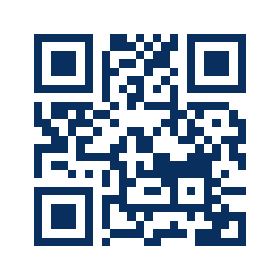
Company link — example
dpa.md/
For SMS, receipts and shop windows. The short address and QR code are in your dashboard.
Ready-to-send SMS text
Your Company: choose which messages you would like to receive, or opt out of promotions: dpa.md/your-company You can opt out of promotions at any time using the same link.
For your customers
For now the number is not verified with a code — such answers are flagged in the dashboard.

Security
Each answer is encrypted on the customer’s phone with your company’s public key. Merxion stores only ciphertext: without your key, neither we nor anyone who steals the database can read it.
Customer’s phone
+373 6•• ••• 587
SMS — yes
YRMRVRv+NDCC
yLYnvDgu…
On the platform
a4Nm5NC4dnHM
LviEw0Nc0wtP…
Your dashboard
+373 6•• ••• 587
SMS — yes
0SyaeBzT520X
lCuk69GAAl…
alg: RSA-OAEP-3072 / AES-GCM-256
wrappedKey: a4Nm5NC4dnHMLviEw0Nc0wtPr9muxZiQ3bHFayL9y+/H…
iv: 0SyaeBzT520XlCuk
ciphertext: YRMRVRv+NDCCyLYnvDguWoD96QtDIv5oVDgSg069GAAl…
Unreadable without the key. Even a stolen database contains no numbers and no answers.
+373 6•• ••• 587
The key is created in your browser and protected by your password. Only the public part is sent to the server.
Dashboard
| Phone | Verification | SMS | E‑mail | Calls | Updated |
|---|---|---|---|---|---|
| +373 6•• ••• 233 | number not verified | no | no | yes | 03.11.2026, 19:08 |
| +373 6•• ••• 906 | number not verified | no | no | no | 03.11.2026, 19:08 |
| +373 6•• ••• 120 | number not verified | yes | yes | no | 03.11.2026, 19:08 |
| +373 6•• ••• 587 | number not verified | yes | no | no | 03.11.2026, 19:07 |
Proof of receipt: 03.11.2026, 19:08 · IP 198.51.100.23 · Chrome ·
macOS
Export
Channel
sms
Each list covers one channel: opting out of e-mail does not remove a person from SMS marketing.
Phone format
E.164: +373 6•• ••• •••
OK to message: 2 · not allowed: 2. Only those who explicitly said “yes” go into the file.
Numbers not verified. Consent may have been given by someone other than the owner of the number — the sender is responsible for the mailing.
I understand and accept responsibility
↓ Download “OK to message”
What you get
A short company address for SMS, receipts and shop windows. No need to upload your customer base.
Includes the opt-out line the law requires. Copy it and send it through your SMS service.
Time, form version, IP and browser — encrypted with your key. The log is append-only.
“OK to message” and “Exclusion list” for each channel — as CSV or a Google Sheet.
Customers change their decision via the same link — as easily as they gave consent.
Numbers and answers are encrypted on the customer’s side. Only you hold the private key.
Comparison
| What | Today: Excel and checkboxes | DPA Verifier |
|---|---|---|
| Where the numbers live | In a file on staff computers, unencrypted | Encrypted, only you hold the key |
| How consent is collected | A checkbox on a form, often pre-ticked | The customer chooses each channel, nothing is pre-ticked |
| Proof | A paper form — or nothing | Time, form version, IP and browser for every answer |
| Opting out of promotions | A call or a letter, the list is edited by hand | Via the same link, instantly on the “Exclusion list” |
| Mailing list | Pieced together from different files | One-click “OK to message” export |
Who it’s for
Promotions and reminders — only to those who agreed.
Discounts and new arrivals by SMS and e-mail — with consent for each channel.
Offers and calls — kept separate from appointments made under contract.
One link per company, one dashboard for several staff members with roles.
FAQ
Yes. Law No. 195/2024 does not require verifying the number with a code — it requires being able to prove that consent was given (Art. 7(1)). For every answer, the time, form version, IP and browser are stored. Answers without a code are flagged “number not verified”, and before exporting you explicitly accept this method. A welcome SMS with an option to opt out reduces the risk of someone entering another person’s number.
Only ciphertext. The customer’s number, answers, IP and browser are encrypted on their phone with your organization’s public key. We do not have the private key, so we cannot read the answers.
Without the key file or its password, nobody can read the answers — including us. That is why the dashboard asks you to save the file; keep a copy in a password manager or on a separate drive. You can create a new key, but older records can only be read with the old file.
Pricing is available on request. Write to us and we will get back to you.
Write to dpa@merxion.xyz. We will set up your dashboard; you create a key in your browser, fill in your legal details and receive your link and SMS text.
One link for everyone · encryption on the customer’s phone · only you hold the key · one-click export to your mailing tool